5 Signs Your AI Copy Doesn't Sound Like Your Brand (And How to Fix Each One)
TLDR
AI writing tools default to the statistical average of all marketing copy ever written — which means generic, hedged, corporate-sounding output. The five signs your AI copy has drifted off-brand are: it sounds professional but forgettable, it uses the same phrases as your competitors, it's the right length but the wrong energy, it passes a grammar check but fails a vibe check, and your clients or team are quietly rewriting it. Each sign has a specific fix. The fastest fix for all five is to stop prompting from scratch and start rewriting against a saved voice profile.
There's a moment most copywriters and marketers recognize. You paste your AI output into a doc, read it back, and something feels wrong. Technically it's fine. Grammatically it's fine. But it doesn't sound like you.
Maybe it sounds like every SaaS company. Maybe it sounds like a press release nobody asked for. Maybe it just sounds like it was written by someone who has read a lot of marketing copy but never actually cared about a brand.
That feeling has a cause. And it has a fix.
Why AI Defaults to Generic
Large language models are trained on the entire internet. That includes millions of examples of marketing copy — which means millions of examples of hedged, over-professional, jargon-heavy content that prioritizes sounding safe over sounding real.
When you prompt an AI tool without specific brand context, you're asking it to channel your brand's specific personality from a starting point of every average piece of copy it's ever seen. The output is mathematically predictable: it will sound like the average of all of it.
AI tools naturally drift toward safe, generic phrasing because that's what dominates their training data. They avoid the distinctive, the opinionated, the specific — exactly the qualities that make content memorable.
This isn't a flaw in the model. It's a flaw in the workflow. And recognizing which flaw you're dealing with is the first step to fixing it.
Here are the five signs to look for — and what to do about each one.
Sign 1: It Sounds Professional But Forgettable
The output is polished. Well-structured. Uses complete sentences. Hits the right topics. And you could swap in any competitor's name and it would read exactly the same.
This is the most common brand voice problem with AI copy, and it's the hardest to articulate because nothing is technically wrong. The copy just has no fingerprint.
What's happening: The AI has no vocabulary restrictions, no sentence rhythm to match, and no examples of what "you" actually sound like. So it defaults to professional neutral — the tone of a competent stranger.
The fix: Give the model examples before you give it the task. Not instructions like "write in a bold, direct tone" — actual copy that exemplifies your voice. Three to five sentences from your best-performing content. The model will pattern-match against those examples far more reliably than against an adjective description.
If you're managing multiple brands, this means maintaining a library of voice examples per brand — not one generic style guide that covers everyone.
Sign 2: It Uses the Same Phrases as Your Competitors
You finish reviewing the copy and realize you've seen this exact sentence somewhere before. "Trusted by teams worldwide." "Built for the way you work." "The all-in-one solution for modern marketing."
These phrases didn't come from your brand. They came from the AI's training data, which is full of them because every company in your category has used them.
Using generic prompts produces generic output. Without specific brand voice instructions, tone parameters, or strategic context, AI defaults to its training patterns — which skew toward bland professionalism.
What's happening: Without a vocabulary list of phrases to avoid, the AI reaches for the most statistically common language in your category. That language, by definition, is what everyone in your category already says.
The fix: Maintain an explicit forbidden words and phrases list. Not just "avoid jargon" — specific phrases your brand would never use. "Leverage." "Seamlessly." "Empower your team." "Unlock your potential." "Innovative solution."
The more specific your exclusion list, the more distinctive your output becomes. Removing the phrases every brand uses forces the model to find your phrases instead.
Sign 3: It's the Right Length But the Wrong Energy
The copy hits the word count. It covers the right topics. But the energy is off. A brand that's supposed to be punchy and irreverent gets copy that reads like a quarterly report. A warm, human brand gets copy that sounds like it was written by a compliance team.
What's happening: Length is easy for an AI to match. Energy is not. Energy lives in sentence rhythm, vocabulary choice, and the emotional register of the language — things that require specific examples to calibrate, not just tone labels.
A language model writes from the average, and chooses the most likely option to fill in the blanks. Tone of voice cannot be outsourced to a model without a brief.
Telling an AI your brand is "bold and direct" produces different output than showing it five examples of your boldest, most direct copy. The label triggers an interpretation. The examples trigger pattern matching. Pattern matching wins every time.
The fix: For each brand you manage, identify two or three sentences that are the most on-brand things ever written for that client. These are your calibration examples. Every AI prompt for that brand starts with those sentences in the context window.
Sign 4: It Passes a Grammar Check But Fails a Vibe Check
The copy is technically correct. Your editor would have nothing to mark. But when you read it aloud, it doesn't sound like a person. It sounds like a document.
This is what happens when AI copy optimizes for correctness at the expense of character. Brands with distinctive voices — informal punctuation, sentence fragments, rhetorical questions, unusual word choices — lose all of that in a generic AI pass.
What's happening: AI models are trained on a lot of formally correct writing. They're biased toward complete sentences, standard punctuation, and conventional structure. A brand that uses fragments for punch, or colons for drama, or lowercase for casual intimacy — all of that gets smoothed out into grammatical beige.
The fix: Document your brand's stylistic idiosyncrasies explicitly. Not just tone — mechanics. Does the brand use sentence fragments intentionally? Em dashes for emphasis? Start sentences with "And" or "But"? Avoid question marks in favor of declarative statements?
These micro-decisions are what make copy sound like you rather than like someone trying to sound like you. They need to be in your voice profile, not just in your head.
Sign 5: Your Team or Clients Are Quietly Rewriting It
This one is the most expensive sign to ignore. If you've noticed that your team spends significant time editing AI output before it can go out, or that clients regularly come back with "can we make this sound more like us," the problem is already costing you money.
"We spend more time editing AI content to match our voice than it would take to write from scratch." This is what happens when AI content sounds off-brand.
The productivity promise of AI evaporates when every output requires substantial editing. If you're saving 20 minutes generating and spending 45 minutes editing, the tool isn't helping.
What's happening: You don't have a voice profile problem — you have a system problem. The AI has no persistent memory of the brand voice, so every session starts from zero. The same corrections are made over and over because there's nowhere to store what "right" looks like.
The fix: Stop treating brand voice as prompt instructions you rewrite every session. Start treating it as a saved asset — a structured profile that contains examples, vocabulary preferences, tone parameters, and style rules — that gets applied to every rewrite automatically.
This is the difference between prompting and calibrating. Prompting asks an AI to guess your voice. Calibrating applies a saved definition of your voice to every output.
SOUND LIKE YOURSELF. EVERY TIME.
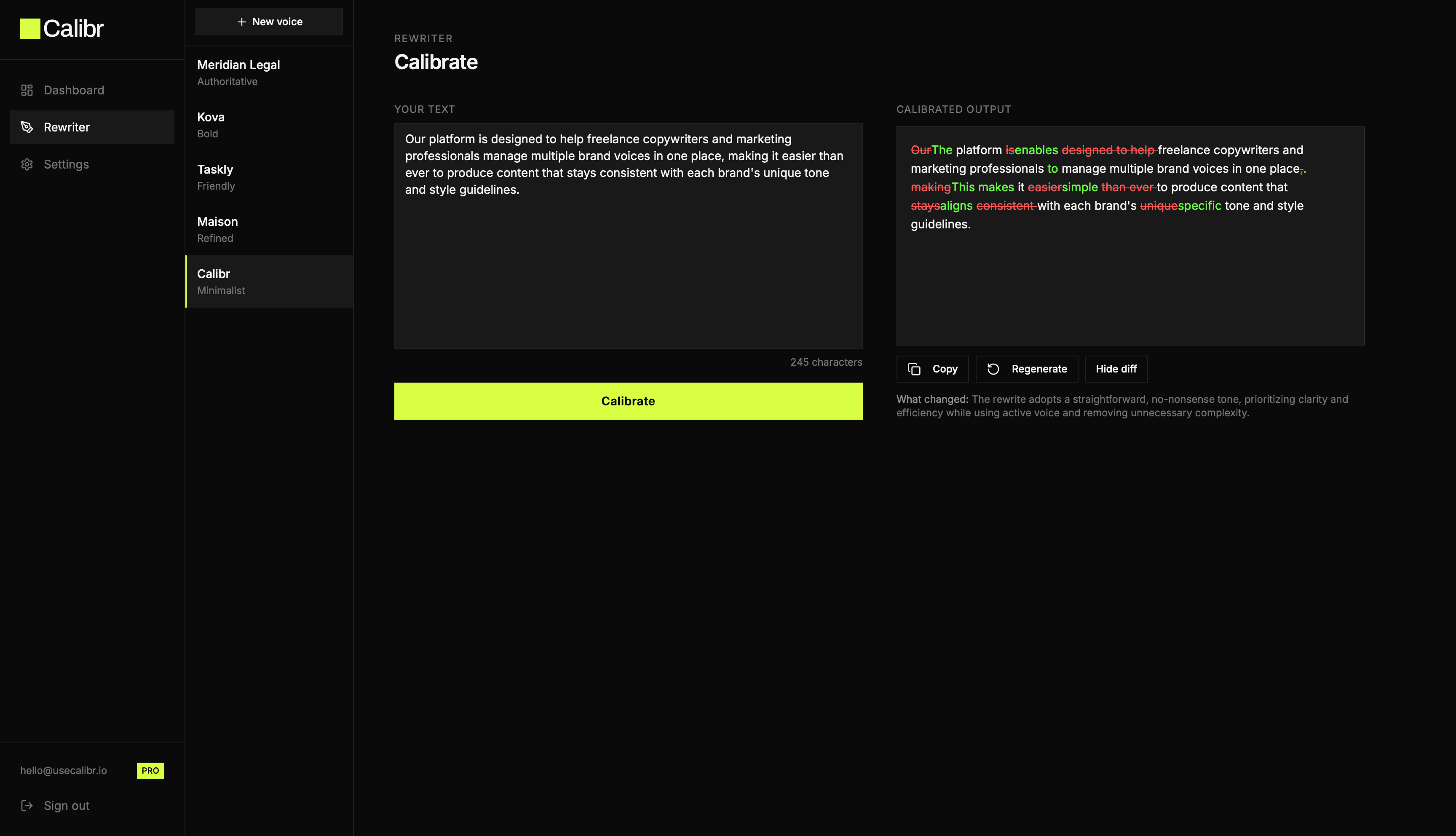
Calibr rewrites any text to match your saved brand voice in seconds.
★★★★★ No credit card required
Benefits
Everything your brand voice needs
Instant rewrite
Under 10 seconds from paste to calibrated output
Precise voice matching
Trained on your actual copy, not generic prompts
Multiple profiles
Separate voice for every client or brand
Rewrite history
Every calibration saved and accessible
Regenerate
Not happy with the output? One click to try again
What changed
Plain English summary of every adjustment made
The Underlying Problem
All five signs trace back to the same root cause: AI tools treat every session as a blank slate. They don't know your brand unless you tell them. And telling them once, in a prompt, produces inconsistent results because the instructions are interpreted differently every time.
Brand voice erosion happens quietly. Content that feels slightly off even when nothing is technically wrong. Different teams writing in noticeably different tones. Generic phrases showing up where your distinct language used to be.
The solution isn't better prompting. It's a better system. One where your brand voice — your actual vocabulary preferences, style rules, energy level, forbidden phrases, and calibration examples — is stored in one place and applied consistently to every piece of output, regardless of who's doing the rewrite or which AI tool they're using.
That's what Calibr is built to do. You train it once on each brand's voice — by pasting examples, uploading guidelines, or answering five questions. Then every rewrite you run through Calibr is calibrated against that profile automatically. No re-prompting. No drift. No corrections.
If your AI copy doesn't sound like your brand, the problem isn't the AI. It's that the AI doesn't know your brand yet.
Start Free — build your first voice profile in under 5 minutes →
How it works
How Calibr works
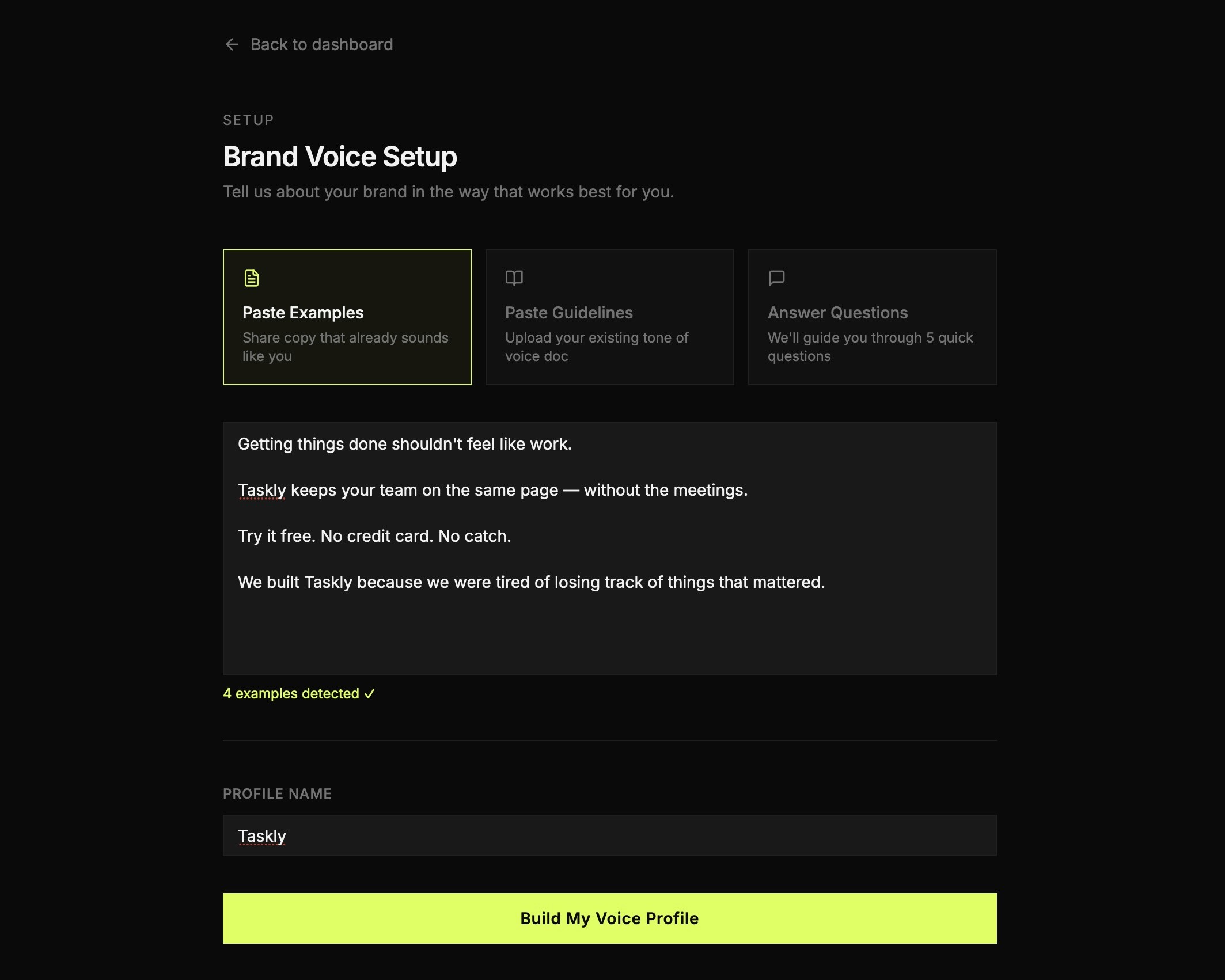
Step 1
Build your voice
Paste examples, upload guidelines, or answer five questions. Done in minutes.
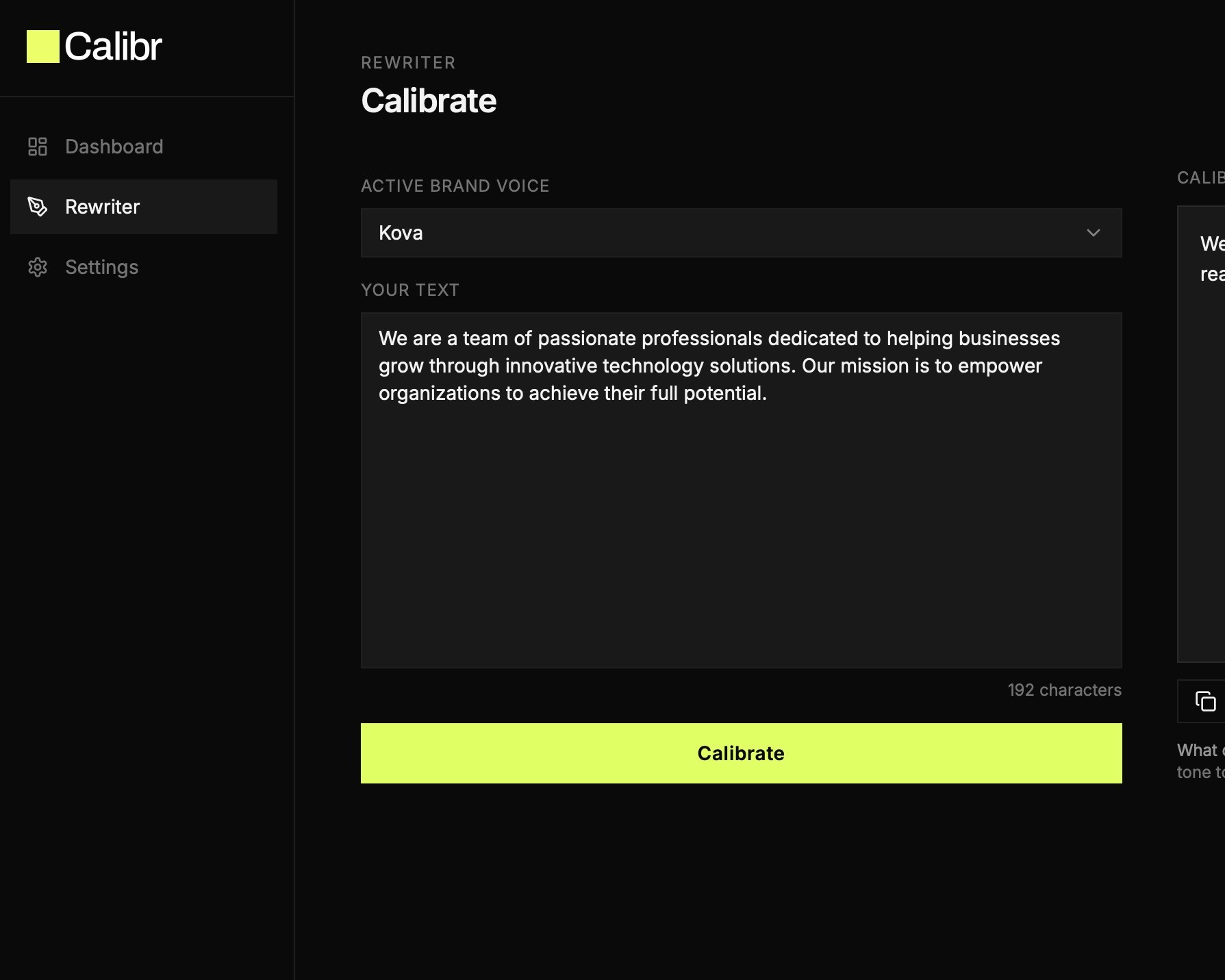
Step 2
Paste any text
AI output, a draft, vendor copy, anything that needs to sound like your brand.
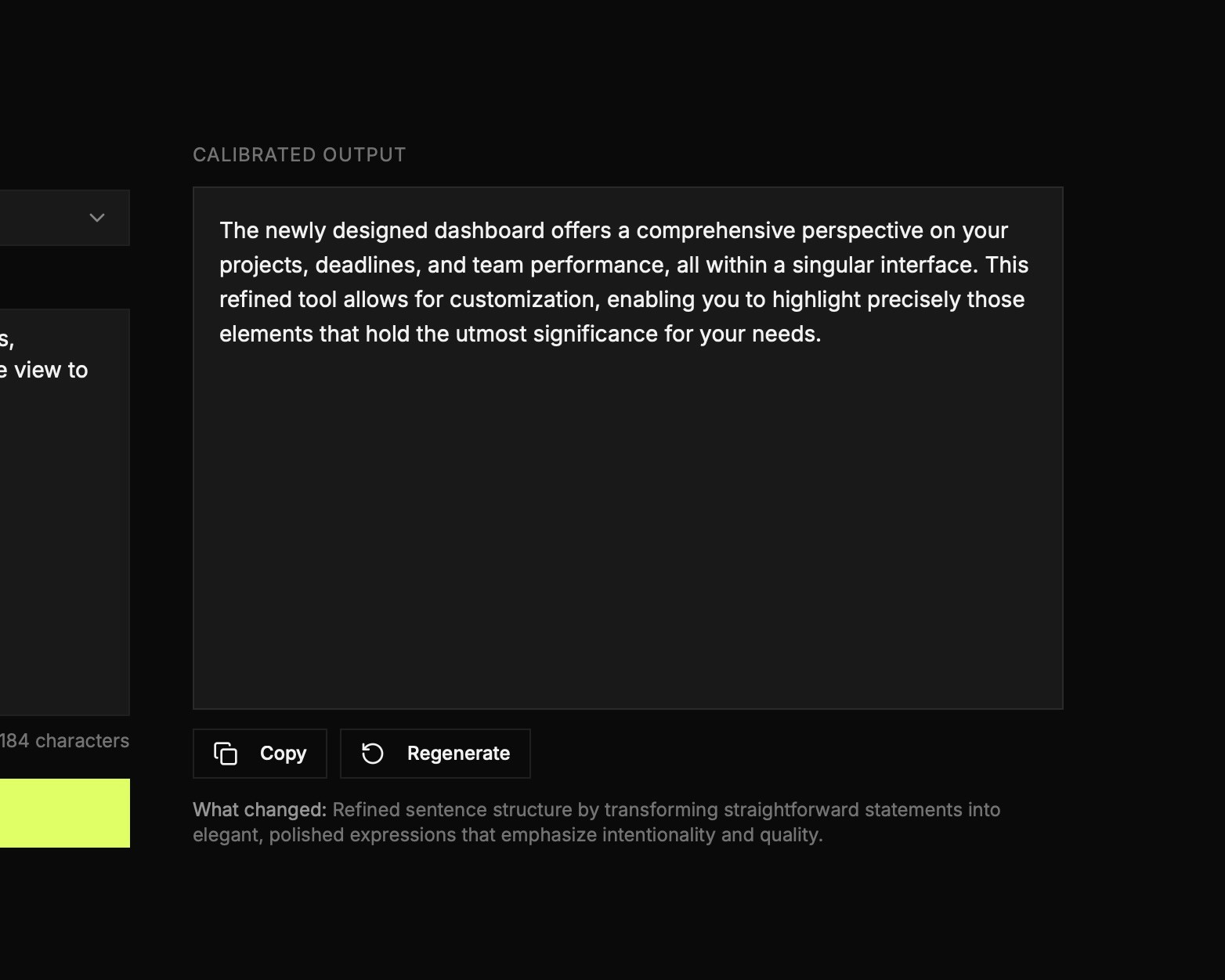
Step 3
Get calibrated copy
Your text, rewritten in your voice. Copy it and ship it.
Frequently Asked Questions (FAQ)
Why does AI copy always sound the same?
Because AI models generate text based on the statistical probability of what word comes next, given their training data. That training data is dominated by generic marketing copy — so generic marketing copy is what they default to. Without specific brand voice context loaded into every prompt, the output trends toward the average of everything the model has seen.
How do I make AI copy sound more like my brand?
The most reliable method is to provide examples of your actual voice — not adjective descriptions — before every generation task. Three to five sentences from your best-performing brand copy gives the model a pattern to match rather than a vague instruction to interpret. A saved voice profile that persists across sessions is more reliable than re-prompting from scratch each time.
How many examples do I need to train a brand voice?
Three to five strong examples are enough to establish a pattern. More is better, but only if the examples are genuinely representative of the voice. Ten mediocre examples are less useful than three exceptional ones.
Can I use the same voice profile for different brands?
No. Each brand needs its own profile. The value of a voice profile is its specificity — the vocabulary, rhythm, and restrictions that make that brand distinct from every other brand. Applying one profile to multiple brands defeats the purpose.
Can't I just write a better prompt every time instead of using a voice profile?
You can, and many people do. The problem is consistency. A prompt you write today produces different output than the same prompt written next week, because small wording changes produce different results and because you'll inevitably forget details. A saved voice profile applies the exact same vocabulary preferences, style rules, and calibration examples every time — no variation, no memory required. For a single brand you manage yourself, better prompting gets you part of the way there. For multiple client brands across multiple sessions, it doesn't scale.